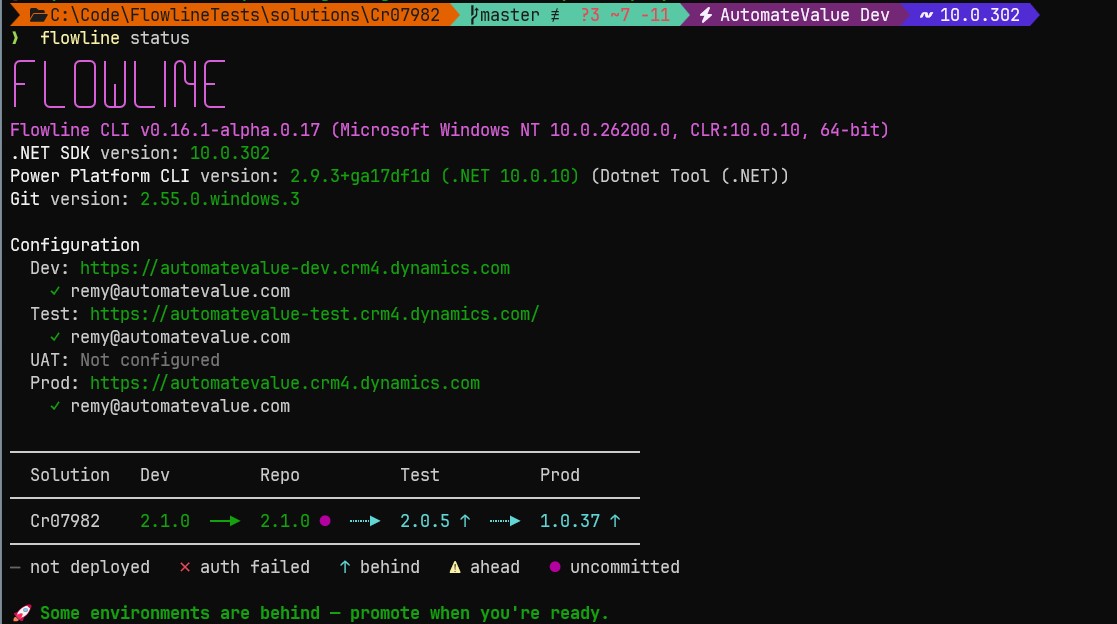

You have a plugin to change and a web resource to update. You are working against a dev Dataverse environment, the one nobody else touches while it is yours for the afternoon. The loop is small and you run it many times a day: build the code, get it into the environment, check it works, capture the result, ship it onward. Here is what each of those steps actually does, because there is one point in the loop where the obvious move quietly breaks the thing.
Build
dotnet build turns your C# into a plugin assembly. Your web resources are JavaScript and HTML files sitting in your project folder. At this moment they are build artifacts in the strict sense of the word. They came out of a compiler and a directory on your machine. Nothing has run them. Nothing has checked them against real data. If you deleted them you could rebuild them from source and get the same bytes back.
This is the one part of the loop where the source-centric story is completely true, and it is worth holding onto that, because it stops being true two steps later.
Push, then test
Now you get the code into the dev environment, and out of the box this is the most manual part of the loop. The first time, you register the plugin assembly and its steps with the Plugin Registration Tool, and you upload the web resources by hand in the Maker portal. After that, pac plugin push updates the assembly when you change the code, but the steps still live in the Plugin Registration Tool, and the web resources still go up through the portal unless you script that yourself, which is what I do.
Tools like spkl take this over too, pushing the assembly, registering its steps, and deploying the web resources from the command line. However you do it, the result of the step is the same: the code ends up running in the environment.
Then you test. You trigger the plugin against real Dataverse data, with the real configuration sitting around it, and you watch it do the right thing. You find what is wrong, fix it, push again, and repeat until it holds.
Something quiet happens here that decides the rest of the loop.
The assembly stopped being a thing that only exists on your machine. It is registered in an environment now, and it has been verified there against real behaviour. It earned trust it did not have when the compiler first produced it. The same goes for the web resources. They are no longer files in a folder. They are running code that you watched work.
Sync
Next you capture the state of the environment back into source control.
pac solution sync re-exports the solution from the dev environment and updates your local solution project to match it. It pulls down the current state: the tables and forms and views you changed, the plugin step registrations, and the registered assembly and web resources exactly as they exist in the environment you just tested.
Read that again, because it is the part most people skip past.
The DLL that lands in your source folder after a sync is not your local build output. It is the assembly that was registered in the dev environment and verified there. Sync wrote the verified version into git. Your commit is a snapshot of an environment that works, not a snapshot of a folder that happened to compile.
That distinction is the whole game.
On Dataverse the rest of your solution can only ever be a snapshot. You cannot author a form or a view or a business rule by typing its definition into a file first. It exists because someone built it in an environment, and pac solution sync is how it gets into git. The assembly arrives in git the same way, down the same pipe, in the same state. There is nothing special about it anymore.
What 'pac solution pack' reads at pack time
To move this to the next environment you pack the solution into a zip and import it. pac solution pack reads your local solution folder and builds the zip from it. Point it at the folder that pac solution sync just updated and the zip contains the verified assembly and the verified web resources, the exact bytes that ran in dev.
Here is the fork, and it is the reason I am writing this.
A lot of Dataverse setups do not pack the DLL and the web resources from the synced solution folder at all. They keep those files out of source control on principle, because a DLL is a build artifact and build artifacts do not belong in git. To make pac solution pack work anyway, they hand it a mapping file.
The --map option exists for exactly this, and Microsoft describes its job plainly: it points the packer at component folders to read from somewhere else. That somewhere else is your local build output. At pack time the packer reaches into your bin folder, grabs the freshly compiled DLL and the web resource files straight off your disk, and drops them into the zip.
Look at what that does to the zip. It no longer carries what you verified in dev. It carries whatever your build output holds at the moment you packed.
If you touched the plugin after the last push, recompiled, switched branches, or merged a colleague's change, the mapping file ships that. None of it ran in the environment you tested. The deploy succeeds. The zip imports cleanly. Nobody sees the gap, because there is nothing to see until the behaviour breaks somewhere downstream.
With a test or UAT stage in the way, that is hopefully where it surfaces, and you lose an afternoon working out why a build you thought you had verified is failing a stage later. Without one, production does the honours. Either way you are chasing the difference between what you tested in dev and what you actually packed, a gap you opened at pack time for nothing.
Pack what the environment verified
So I pack from the synced folder, and the mapping file never enters the loop.
The DLL and the web resources live in source control, committed like everything else. Once they have been deployed to a dev environment and verified, they are not build artifacts anymore. They are verified state, the same as the forms and the views and the plugin steps that came down in the same sync.
Treating the code as a special case, a thing to be rebuilt fresh at the last second, is the single inconsistency that breaks the loop. pac solution pack should promote what was tested, not what was built last.
You might push back that you do not really test in dev, you test in the test environment, with QA and maybe some users.
True, and it changes nothing here. Testing in dev is the developer confirming the thing runs: the plugin fires on the right message, the web resource loads, the logic does what the code says. Testing further down is other people confirming it does what the business needs. Two different jobs.
The mapping file breaks the first one at the first boundary, because the build that reaches your testers was assembled from local output at pack time, not taken from what the developer verified in dev. Your testers end up exercising an artifact nobody has run anywhere. Whichever stage you treat as the real test, the thing being tested should be the thing you built and checked, not a binary that appeared when you packed.
There is a real argument on the other side, and it is worth naming.
Committing build artifacts offends a rule most of us learned somewhere good: you commit source and you regenerate outputs, because the output is reproducible and the source is the truth.
On a .NET service that rule is correct. On Dataverse it stops fitting, because the rest of your solution cannot be regenerated from source at all. The forms, the views, the flows, none of them rebuild from a folder of files. They are snapshots of environment state by definition. Your solution is already a snapshot. The assembly became part of that snapshot the moment it was registered and tested.
Holding the code to a different standard than everything wrapped around it is the entire function of the mapping file, and it is the part I am not willing to do. Yes, a binary in git makes an ugly diff. An ugly diff of the thing that actually ran beats a clean diff of a thing that never did.
This is the environment-centric instinct from my earlier post showing up at the keyboard. In the abstract it sounds principled. In the pack step it is a --map line that swaps your verified code for whatever compiled most recently. The fix is not clever. You let pac solution sync capture the environment, and you pack from what it captured.
Go look at your own pack step. Find out where the DLL it ships actually comes from. If a mapping file is pulling it from your build output instead of from something a dev environment verified, you are shipping code you never tested, and the pipeline is hiding it from you behind a green checkmark.