My dev flow ran on Daxif and NUKE Build for years. Daxif handled auth, solution sync, and the day-to-day loop. NUKE Build handled packaging and deploy.
It worked, until both tools stopped keeping pace. Daxif's F# codebase made community contributions hard and updates from the Delegate A/S team slowed. NUKE Build's own maintainer stepped back from development and stopped the project.
That sent me looking at PAC CLI and Power Platform Pipelines as the next step. PAC CLI is solid: Microsoft's own CLI, and it covers auth, import, export, and environment management well. Pipelines is genuinely good tooling too, in-platform, built by Microsoft, with a real structured workflow instead of scripts you stitch together yourself.
The catch: Pipelines require Managed Environments and managed solutions, no way around it.
That's the right call for an ISV shipping into a client's tenant it doesn't own. I prefer unmanaged solutions in production, in environments the customer owns outright, so Pipelines wasn't built for this way of working.
I also looked at PACX, which extends PAC with handy commands, but you still need to write your own process flow (scripts) on top of it (or let AI do it).
What was missing: a structured dev and deploy flow with good defaults. That's the gap Flowline CLI fills.
I built Flowline CLI. It's open source, it's free, and as of this post it's public: a preview you can install and try today.
The tools were the wrong shape
Each piece did its job, until it didn't.
Daxif's sync philosophy, make Dataverse match source and leave no orphans behind, is still the model I believe in, and its generated C# types were a real convenience.
But Daxif is written in F#. Community contributions were nearly impossible, and as the pace of updates from the Delegate A/S team slowed, the tool aged in place (I filed one of those bugs myself, and fixed it properly in Flowline CLI).
Spkl, the usual C# alternative, hasn't seen a meaningful update since 2021 either, and it leans on a spkl.json file that duplicates information your project already has.
Every C# Dataverse ALM CLI on the table had aged past the point that it started to become a hurdle.
PAC CLI showed up as Microsoft's own official Power Platform CLI, and it changed my calculus. Auth, solution import and export, environment management, that's PAC's job now, not something I need Daxif or a wrapper script to own anymore.
But PAC CLI is organized like an admin console, not a developer's workflow. Its commands are grouped by category (plugin, solution, auth), not by what you actually do on a Tuesday afternoon.
You still end up writing your own script to turn "push my code to dev" into a real command.
I needed a fast loop from git to Dataverse, and back.
Delegate what PAC CLI already does well. Build only what it's missing. That's Flowline CLI in one sentence:
PAC CLI gives you the primitives, Flowline CLI gives you the workflow.
Also, I don't believe you can do source-centric with Dataverse solutions. The platform still depends on editing in an environment and then taking a snapshot from the environment: an environment-centric way of working.
I've made a version of this argument before, more than once, on this blog: everyone got ALM wrong in Dynamics 365 and Dataverse, source-centric on Dataverse is a story you tell yourself, and most recently why you don't need a solution mapping file. Flowline CLI is that argument, shipped as software instead of argued in thin air.
Inside Flowline's Dataverse ALM CLI Workflow
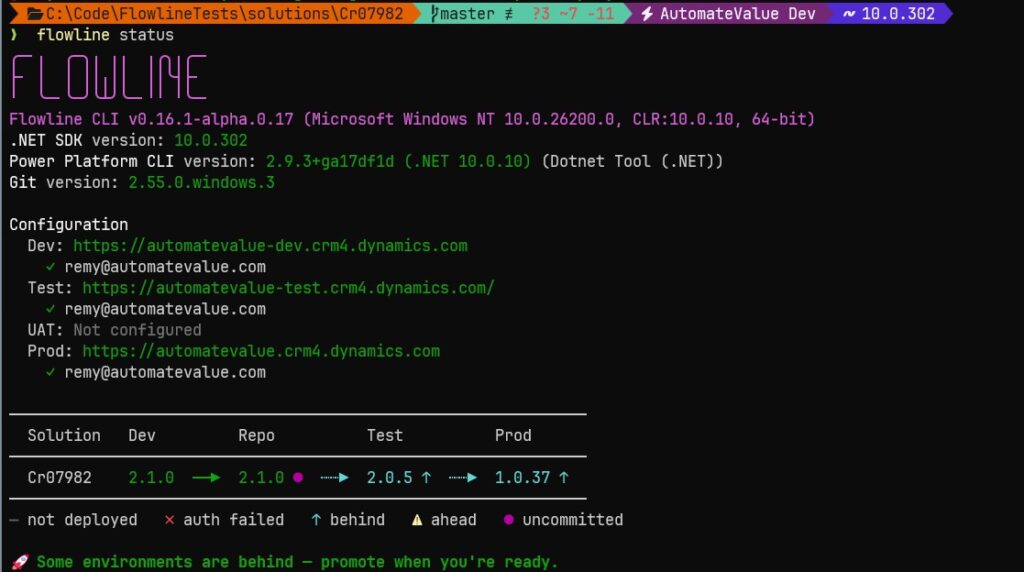
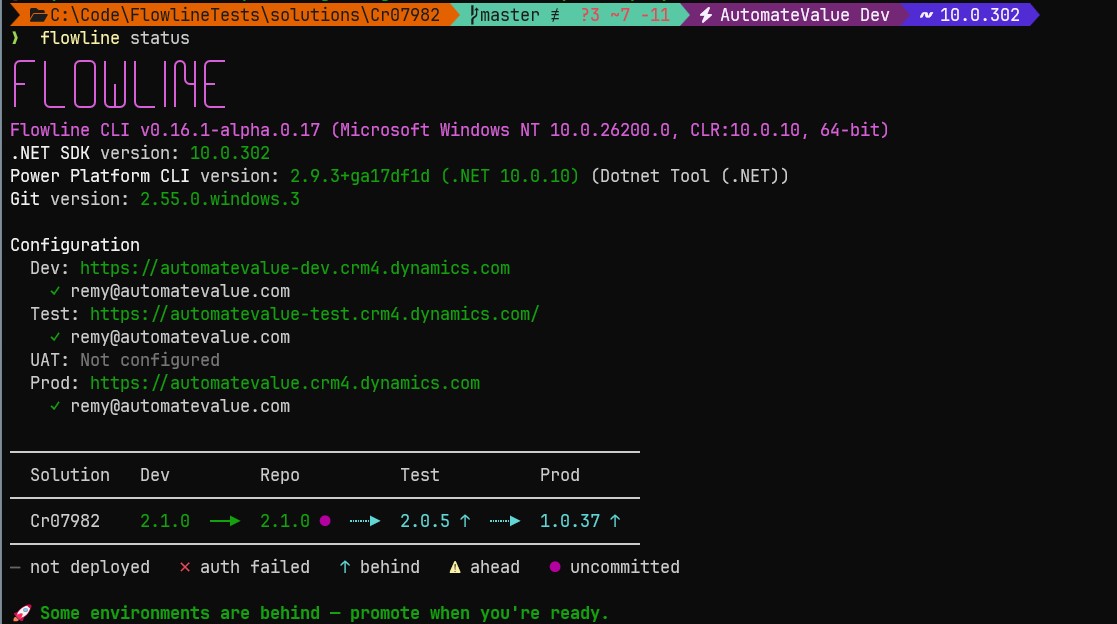
Flowline CLI wraps PAC CLI where PAC already does the job (auth, import, export, environment management) and builds its own answer where PAC has none. The daily workflow is four verbs:
# One-time: bootstrap an existing solution into the Git repo
flowline clone ContosoSales --prod https://contoso.crm4.dynamics.com

# Daily dev loop
flowline push          # push code assets to DEV
flowline sync          # pull Dataverse changes back to source
git commit -m "feat: add validation"

# Promote
flowline deploy test
flowline deploy prod
clone bootstraps an existing solution into a repo. push builds and syncs your code to dev. sync pulls Dataverse's current state back into source control. deploy packs and promotes to test, UAT, or production.
Underneath those four verbs, here's what actually changes for your daily loop.
Plugin and Custom API registration is attribute-driven. Decorate an IPlugin class with [Step], [Filter], [PreImage], [PostImage], or [CustomApi]. No base class required.
[Step("account")]
[Filter("creditlimit")]
public class CreditLimitValidationUpdatePlugin : IPlugin
{
    public void Execute(IServiceProvider sp)
    {
        var ctx = (IPluginExecutionContext)sp.GetService(typeof(IPluginExecutionContext));
        var target = (Entity)ctx.InputParameters["Target"];

        if (target.GetAttributeValue<Money>("creditlimit")?.Value > 100_000)
            throw new InvalidPluginExecutionException("Credit limit cannot exceed 100,000.");
    }
}
push reads the compiled assembly and registers every step, image, and Custom API in Dataverse automatically. No Plugin Registration Tool, no Maker Portal detour. It works whether you build a plain .dll or ship a NuGet .nupkg package.
Web resources push, and Dataverse ends up matching your folder exactly. push syncs your local JS, CSS, and HTML straight to Dataverse, no Maker Portal upload. This isn't additive-only: delete a file from your web resources folder, and the next push deletes it from Dataverse too, not just the files you add or change.
Your local folder is the truth, and Dataverse is made to match it, not just extended with whatever's new.
Add a // flowline:onload or // flowline:onsave, or // flowline:onchange comment above a function, and Flowline CLI wires the Form Event Handler and Form Library entry for you, kept in sync on every push. No more need to go to the Maker portal to wire events up!
Dependencies are annotations, not a tree you maintain by hand. A // flowline:depends comment links JS-to-JS and RESX dependencies, registered automatically on every push. No separate dependency file to keep updated somewhere else.
Orphan cleanup runs by default. Delete a plugin step, an image, or a web resource from source, and push removes it from Dataverse too. deploy does the same for solution components removed since the last import, and reports the ones that need manual attention.
Nothing lingers as a ghost registration because nobody remembered to clean it up. --no-delete opts out when you actually want that.
Dry-run shows you the future before it happens. Every destructive operation supports --dry-run. You see exactly what would be registered, updated, or deleted before a single Dataverse record changes. Run it as a CI gate, or just run it because you want to know before you commit to it.
Flowline CLI deploys managed and unmanaged solutions the same way, same commands either side. Use whichever fits your team's governance model.
If you're pointing an AI agent at your Dataverse project, Flowline CLI also writes DATAVERSE_CONTEXT.md on every sync (your full schema: entities, attributes, forms, plugin steps), CHANGES.md file after every sync and scaffolds AGENTS.md and CLAUDE.md which helps you manage your Dataverse project. To help AI even more, install the Flowline plugin.
Where it stands today
This Dataverse ALM CLI is still in preview, not a 1.0. The workflow above is real, and I run it daily.
Preview means Flowline CLI is still going through real end-to-end testing against real Dataverse environments, and I'm fixing what turns up as I go. Bringing it into the public is the next phase to get more input from the community.
Try it
If you've been looking for an ALM process flow for Dataverse without Pipelines but that still relies on a Git repo, install Flowline CLI. Start with the wiki. If something's unclear or broken, open an issue. I'd rather hear about it there than have you quietly give up on it.
Install it:
dotnet tool install --global Flowline
Two minutes, and you're pushing to dev.